
PKRVIP Login Guide – Account Registration, Sign-In and Password Help
Mobile gaming has changed how people access online entertainment. Many users now explore gaming platforms through their smartphones because they can access account features without sitting at a computer. PKRVIP is a platform associated with casino-style mobile games and online account services.
For someone visiting the platform for the first time, the account process may not be immediately clear. Questions about opening an account, entering login details, receiving verification codes, and recovering a password are common. This guide explains these topics in straightforward language so readers can understand the general process before proceeding.
Understanding the PKRVIP Platform
PKRVIP is an online gaming platform that provides access to casino-style games through a mobile-oriented interface. Some platform features may require users to sign in before they become available.
An account usually connects a user’s registration details with their profile and any account-related services offered by the platform. The precise sign-in requirements depend on the version and the options currently provided by the operator.
Before registering, take time to review the platform’s terms, privacy information, age restrictions, and payment policies. Availability on the internet does not, by itself, establish that a service is officially authorised or lawful in every location.
What Can Users Access After Signing In?
The purpose of an account is to provide a personal access point for services offered by the platform. Depending on the current version, signed-in users may be able to:
- View their profile and account information.
- Explore games available to registered members.
- Check account-related information and balance details, if provided.
- Review previous transactions where a transaction record is available.
- Find account assistance or support information.
- Change certain profile or security settings.
Not every feature is necessarily available to every account. Access can depend on the platform’s rules, location restrictions, and current service conditions.
Keep your account credentials confidential. A genuine support representative should not need you to disclose your password or one-time verification code.
Creating a New PKRVIP Account
If you have never used the platform, you may first need to complete its registration process. The instructions below describe the usual steps found on mobile registration pages. Follow the actual requirements displayed by the verified service, as its process may differ.
Open a Verified Website or Application
Start by visiting the website address you have checked or opening an application obtained from a trustworthy source. Be cautious with copied links, advertisements, and APK files shared through unknown groups.
Check the spelling of the website address before entering your phone number or other personal details.
Locate the Sign-Up Page
Look for an option labelled Register, Sign Up, or Create Account. Selecting it should take you to the registration screen, provided that new account creation is available.
Provide the Required Details
Some registration forms request a mobile number. If this information is required, enter a number that belongs to you and that you can access.
Read each field carefully. Do not submit unnecessary personal information, and avoid providing sensitive documents unless you have verified the operator and understand the reason for the request.
Set Your Account Password
Create a password that is difficult for another person to predict. A combination of letters, numbers, and symbols can make it harder to guess.
Avoid passwords based on your name, birthday, phone number, or other details that people might already know. It is also better to use a password that is not used for your email or financial accounts.
Follow the Verification Instructions
If the service sends a confirmation code, enter it only on the registration page you have independently verified. A verification code is intended to confirm access to your contact number.
Do not forward the code to another person, even if they claim they can help complete your registration.
Check the Information Before Submitting
Review the details you have entered and read the applicable terms before completing the form. Once registration is finished, keep your login information somewhere secure.
How to Sign In to an Existing Account
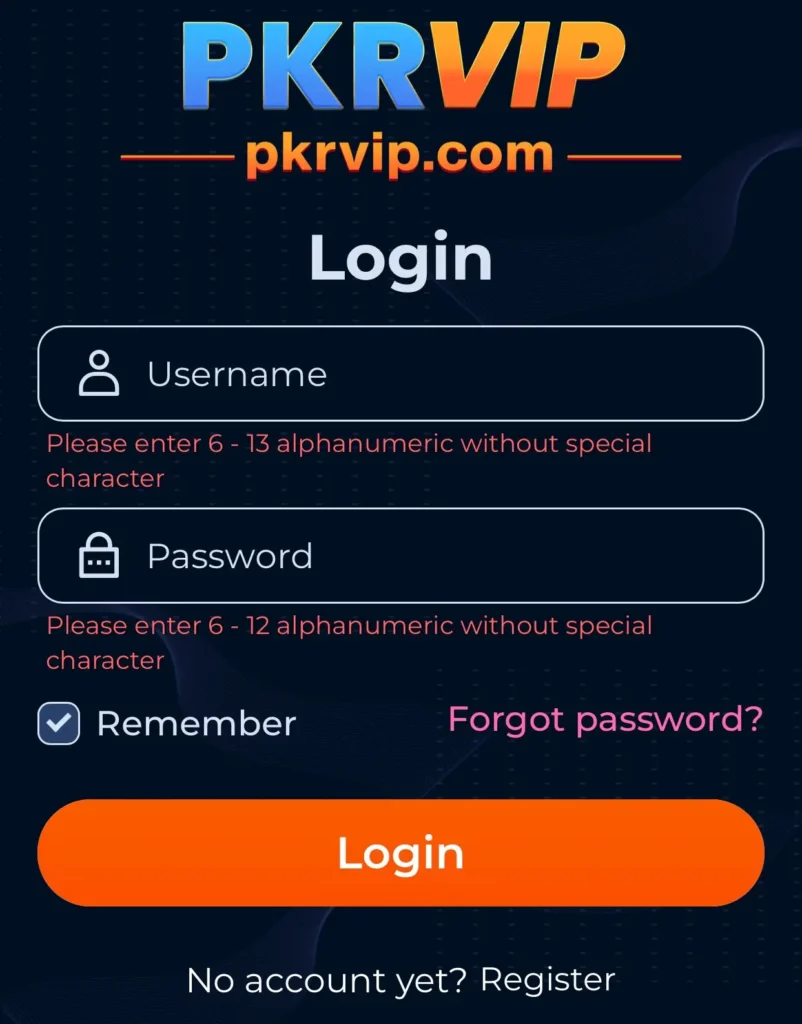
After registration, returning users can use the sign-in page to access their accounts. The following instructions explain the usual login sequence:
- Visit the platform: Open the verified website or the application installed on your device.
- Find the sign-in section: Select the Login or Sign In option.
- Enter your account number: If the form requests a mobile number, use the one associated with your registration.
- Add your password: Type the correct password into the required field.
- Complete additional checks: Follow any verification instructions displayed by the service.
- Submit the form: Select the login button and wait for the platform to process your request.
If the details match an active account and the service is operating normally, you should be able to proceed. Check your information before trying again if an error appears.
What to Do When You Cannot Remember Your Password
A forgotten password is a common reason for failed account access. Instead of repeatedly guessing, check whether the sign-in page provides an account recovery feature.
If a recovery option is available, the general process may look like this:
- Return to the account sign-in screen.
- Look for a link labelled Forgot Password or Reset Password.
- Provide the contact information associated with your account, if requested.
- Complete the verification checks shown by the service.
- Follow the instructions for choosing a replacement password.
- Try signing in again with the updated credentials.
The recovery method may vary between versions. If the option is missing or does not work, use only support information published through a source you have verified.
PKRVIP Login Errors and Possible Fixesction
An unsuccessful sign-in does not always mean that an account has been permanently blocked. The problem may be related to the device, network, entered information, or availability of the service.
Sign-In Details Are Not Accepted
A small typing error can prevent a successful login. Recheck the mobile number and password, including any digits that may have been entered incorrectly. If you have changed your password recently, make sure you are not using an older one.
The Confirmation Message Does Not Arrive
If you are waiting for a verification code, first confirm that your phone has a working network connection. Check that you entered the correct number and that your messaging service is functioning.
Give the message some time to arrive before requesting another code. Avoid repeated requests in a short period.
The Application Closes or Stops Responding
An application may become unstable when the device has limited storage, an outdated operating system, or an incompatible app version. Restarting the phone and checking available storage may help identify the issue.
Only install updates from a source you have independently checked. Do not download replacement APK files from random links just because an application is not working.
The Website Does Not Open
A page may fail to load because of a weak connection, browser problems, or temporary service interruption. Try another trusted browser and check whether other websites are opening normally.
If the issue affects only the platform, wait and try again later. Avoid entering your credentials on alternative websites claiming to provide emergency access.
Account Access Has Been Restricted
Some online services apply temporary restrictions after repeated failed attempts or activity that triggers their security checks. If this happens, stop trying random passwords and follow the recovery instructions provided by the verified service.
Do not send money to an individual who promises to restore access. Verify any support contact before sharing account-related information.
Ways to Keep Your Account Information Protected
Account protection requires more than choosing a password. Users should also be careful about the websites they visit, the files they install, and the information they share.
- Keep credentials private: Do not disclose your password or verification codes.
- Check website addresses: Look for misspellings and unfamiliar domains before signing in.
- Avoid suspicious downloads: APK files from unknown sources can put your device and information at risk.
- Use a separate password: Do not reuse credentials from email, banking, or other important services.
- Secure your phone: Install operating-system updates and use the device’s built-in security features.
- Be careful on shared devices: Do not save passwords on phones or computers used by other people.
- Review account records: Where available, check account activity and transaction details for anything you do not recognise.
A website’s own security claims are not independent proof that its service or application is safe. Consider the risks before sharing personal or financial details.
Does PKRVIP Registration Require a Payment?
Creating an account and paying to use a service are separate activities. A registration form may not charge an account-opening fee, but this does not mean that every game or feature is free to access.
Before making a financial transaction, understand the conditions that apply. These may include minimum deposits, withdrawal requirements, processing times, transaction charges, and restrictions on promotional offers.
Do not rely on claims of guaranteed returns or pressure to deposit quickly. Casino-style games involving money can result in losses, and there is no reliable way to guarantee a profit from playing them. Participation should only be considered by adults who are legally permitted to use the service and who understand the risks.
Frequently Asked Questions
Where can I find the PKRVIP sign-in page?
Look for the Login option on the website or application you have independently verified. Check the web address before entering your account information.
What information is needed to access an existing account?
The sign-in form may request the mobile number and password used during registration. Additional verification may also be required, depending on the current account settings.
Is it possible to register without making a deposit?
Registration and depositing money are separate processes. Check the current registration terms to find out whether an account can be created without a payment. Do not assume that all platform services are free.
How can I resolve a failed login attempt?
First, check your entered details and internet connection. If the issue continues, look for the password recovery feature or verified account-support instructions.
What should I do if my verification code is delayed?
Confirm that your phone number is correct and that your device can receive messages. Wait before requesting another code. Never give a verification code to someone contacting you privately.
Can I use my account on a different mobile phone?
That depends on the operator’s device and account policies. If you use another phone, make sure it is protected with a screen lock and avoid saving your credentials on a device that other people use.
Conclusion
Accessing an online gaming account generally involves using the contact details and password provided during registration. New users should first understand the registration requirements, while existing members should keep their sign-in information secure and use the proper recovery process if they lose access.
Before using PKRVIP, verify the website and application source, review the service conditions, and understand any financial risks. Taking these precautions is more important than rushing through registration or trying to access an account through an unfamiliar link.